PDF guides
PDF Page Number Formats, Positions, Margins, and Styling
Add Page Numbers looks simple until a footer collides with a signature block or “Page 3 of 10” confuses reviewers who only numbered an appendix. This guide focuses on the four formats, six positions, and styling controls—margins, font size, color, start number, and Helvetica-only text—so placement decisions are intentional.
Ready to try the tool this guide describes?
Number formats
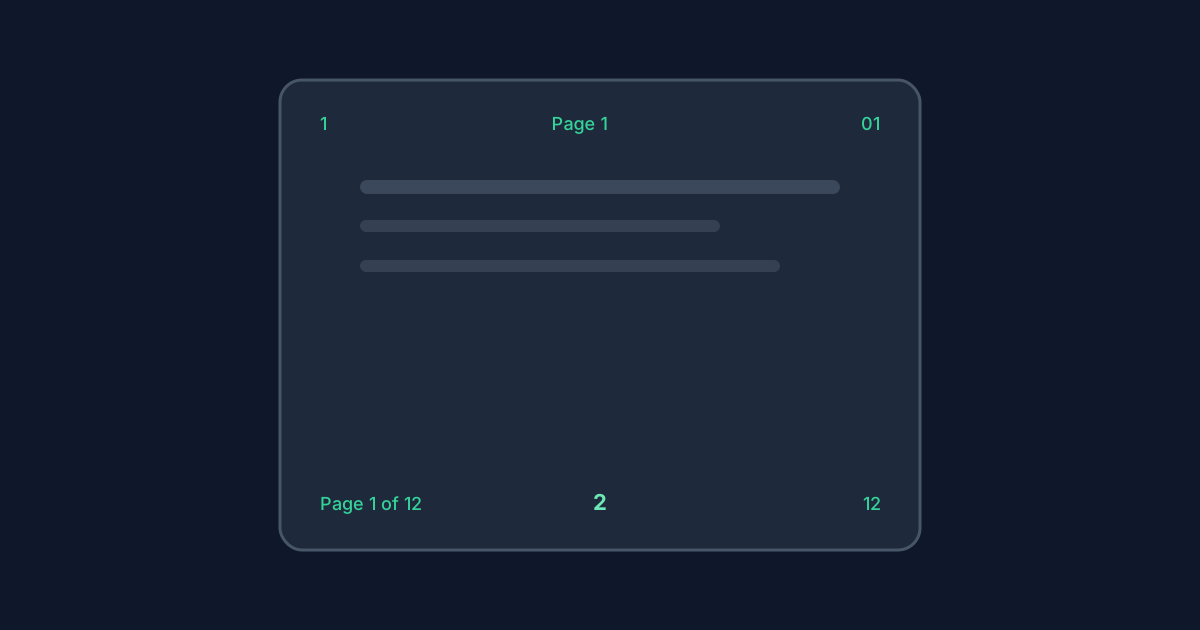
Four formats are available: plain `1, 2, 3`; padded `01, 02, 03`; labeled `Page 1`; and `Page 1 of {N}`. In page-of-total style, `Y` is the total page count of the full PDF—not the count of selected pages. Padded values stay readable when the number grows past two digits (for example 105 stays “105,” not a broken pad). Roman numerals and Bates stamps are not supported.
- Plain: 1, 2, 3
- Padded: 01, 02, 03 (two-digit pad when applicable)
- Page label: Page 1
- Page of total: Page 1 of {N} where N is the full document length
Six positions, margins, and styling
Positions are top-left, top-center, top-right, bottom-left, bottom-center (default), and bottom-right. Margin (12–72 points) is the distance from the selected edge. Font size is 8–72 points. Start number is 1–9999. Color is a hex `#rrggbb` value. The font is Helvetica only—there is no font family picker.
Choose positions that avoid covering existing headers, footers, signatures, and form fields. Previews show the first 30 document pages; export can still number the full valid selection beyond that preview window.
| Control | Range or options | Default |
|---|---|---|
| Position | Six top/bottom left-center-right placements | Bottom-center |
| Margin | 12–72 points | 36 points |
| Font size | 8–72 points | 12 points |
| Start number | 1–9999 | 1 |
| Color | #rrggbb hex | #000000 |
| Font | Helvetica only | Helvetica |
The tool does not auto-detect collisions, remove existing numbers, or offer different odd/even positions.
PDF Page Number Formats and Positions FAQ
- What does Page X of Y use for Y?
- Y is the total page count of the full PDF, not the number of pages you selected to stamp.
- What is the default position?
- Bottom-center.
- Can I use Roman numerals or Bates numbering?
- No. Only the four listed formats are supported.
- Can I change the font family?
- No. Numbers are drawn with Helvetica only.
- Why does preview stop at 30 pages?
- Preview shows the first 30 document pages for responsiveness. Export still applies to the full valid selection within the 100-page file limit.
- Where is partial numbering explained?
- See /guides/number-only-part-of-a-pdf. The overview is /guides/how-to-add-page-numbers-to-pdf.
Related guides
- How to Add Page Numbers to a PDFAdd customizable page numbers with position, format, ranges, font size, color, and margin—processed locally with current limits.
- Number Only Part of a PDFAdd page numbers to selected PDF pages, skip a cover page, or use custom ranges while controlling the visible starting number and page-number format.
- How to Organize PDF PagesRearrange PDF pages locally in your browser—reorder, rotate, duplicate, delete, and reset—with current file and page limits.
Open the tool
Jump into Add Page Numbers when you are ready to process your files.


