Text & writing
Word Diff vs. Line Diff: Which Comparison to Use
Most text comparison tools can show differences by line or by word. Neither is better in general; each answers a different question. Choosing the right one makes a comparison readable at a glance instead of a wall of red and green.
Ready to try the tool this guide describes?
The same edit, two views
| View | Original → changed | What you see |
|---|---|---|
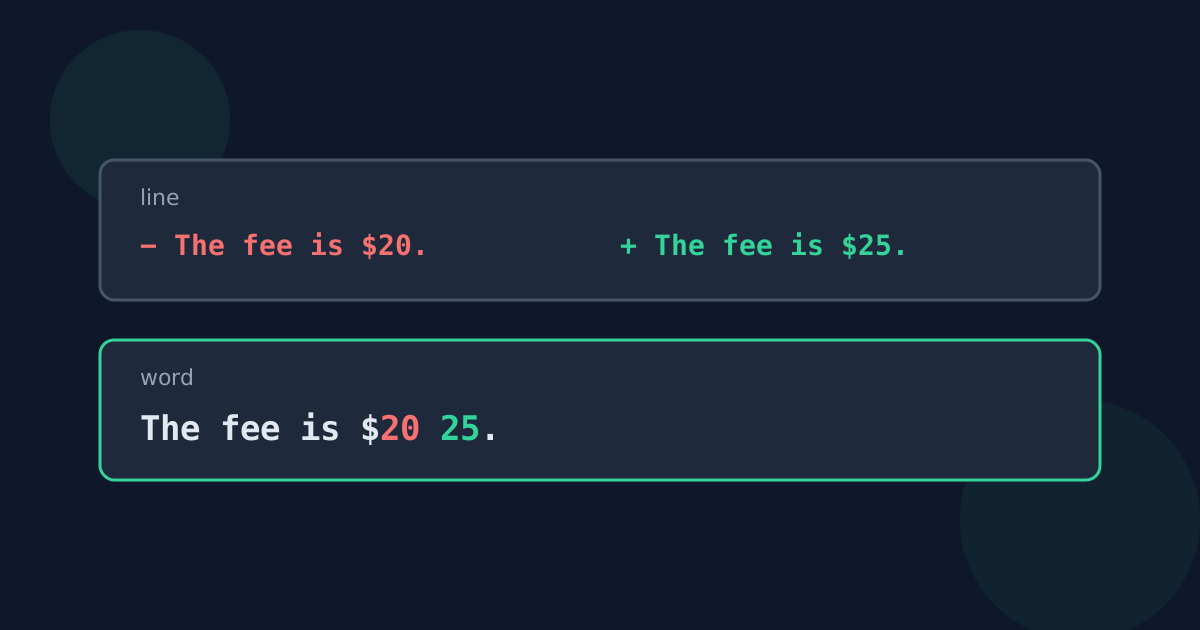
| Line diff | The fee is $20. → The fee is $25. | The whole line removed, the whole new line added |
| Word diff | The fee is $20. → The fee is $25. | Only “20” removed and “25” added |
When line comparison is better
- Lists where each line is one item: names, keywords, products.
- Configuration files and code, where a changed line is the meaningful unit.
- Logs and data exports, where you want to know which records appeared or disappeared.
- Very large texts, because comparing lines is far less work than comparing words.
When word comparison is better
- Edited writing: articles, contracts, essays, and emails.
- Paragraphs written as single long lines, where a line diff would mark the whole paragraph as changed.
- Spotting small but important edits such as a changed number, date, or name.
Things that trip up each view
Line comparison exaggerates small edits and treats reflowed text — the same words wrapped differently — as entirely changed. Word comparison can look busy when a sentence was completely rewritten, and it compares languages written without spaces, such as Chinese or Japanese, in long runs rather than individual words. If one view looks confusing, switching to the other often makes the change obvious.
Word Diff vs. Line Diff FAQ
- What is the difference between a word diff and a line diff?
- A line diff marks whole lines as added or removed; a word diff marks the individual words that changed inside lines.
- Which should I use for comparing two drafts?
- Word comparison, because it shows exactly which words were edited instead of marking whole paragraphs as changed.
- Which is better for configuration files?
- Line comparison, because each line is usually one setting and you want to know which settings changed.
- Why does my whole paragraph show as changed?
- The paragraph is one long line and you are using line comparison. Switch to word comparison to see the individual edits.
- Why does re-wrapped text show as completely different?
- Line comparison sees different line breaks as different lines. Word comparison is less affected, although changed line breaks still show as spacing changes.
Related guides
- How Text Comparison WorksThe idea behind diff tools: the longest common subsequence, the Myers algorithm, line versus word pieces, and what a text comparison cannot show.
- Compare Drafts, Lists, ConfigsPractical workflows for comparing document drafts and contracts, finding changes between two lists, and spotting differences in settings files.
Open the tool
Jump into Text Difference Checker when you are ready to process your files.
