Text & writing
How Text Comparison (Diff) Actually Works
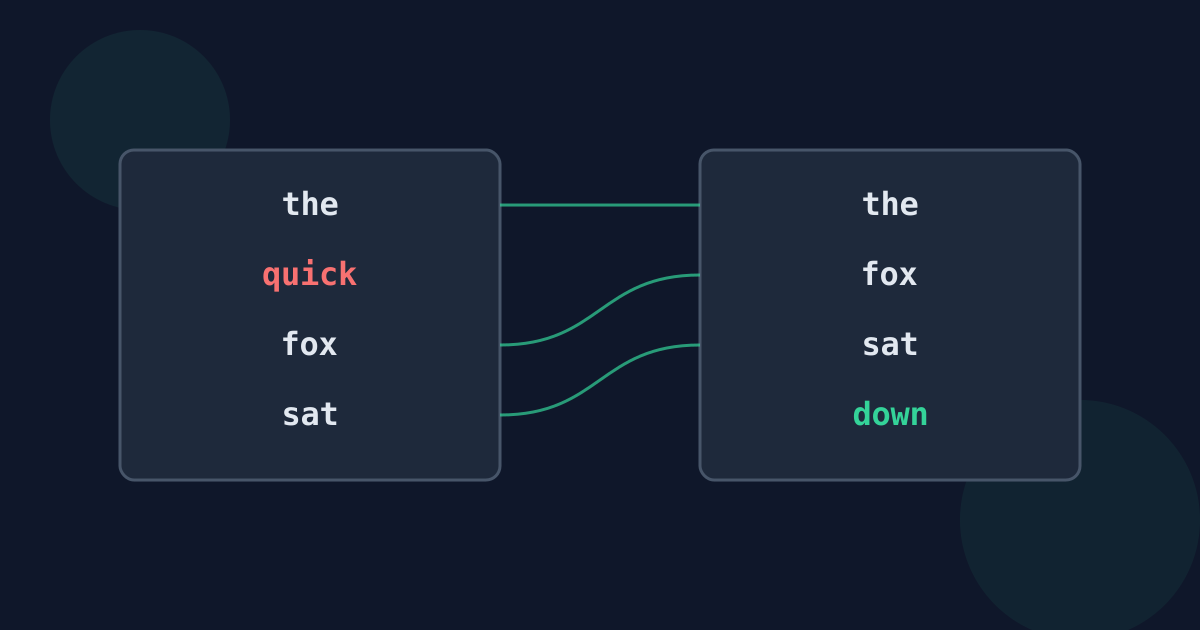
A text comparison tool does not look at two documents the way a person does. It searches for the largest amount of text the two versions share, in the same order, and reports everything else as added or removed. Understanding that idea explains both why comparisons are usually so clear and why they occasionally look strange.
Ready to try the tool this guide describes?
The longest common subsequence
The core idea is the longest common subsequence: the longest list of pieces — lines or words — that appears in both versions in the same order, though not necessarily side by side. Everything in that shared list is unchanged. Pieces only in the original are removed; pieces only in the new version are added.
For example, comparing “the cat sat” with “the black cat sat” keeps “the”, “cat”, and “sat” in common and reports “black” as added.
The Myers algorithm
Most diff tools, including Git, use an algorithm published by Eugene Myers in 1986. It finds the smallest set of additions and removals that turns one version into the other, and it is fast when the two versions are similar — its work grows with the size of the text multiplied by the number of differences. Two long, nearly identical documents compare almost instantly; two long, unrelated ones take much more work.
Why pieces matter: lines or words
The same algorithm can compare whole lines or individual words. Line comparison is quick and suits structured text, but one changed word marks the whole line as changed. Word comparison pinpoints small edits in prose. Many tools do both: they first find which lines changed, then compare the words inside just those lines.
What a diff cannot tell you
- Moves: a paragraph that moved shows as removed in one place and added in another.
- Intent: a diff shows that words changed, not whether the meaning changed.
- Formatting: plain-text comparison ignores bold, fonts, and layout.
- Ties: when several equally small sets of changes exist, the tool picks one, which can occasionally split an edit in an unexpected place.
Text comparison versus document comparison
Comparing plain text is different from comparing PDFs or word-processor files, which also have pages, layout, and images. A text diff works on the characters alone, which makes it precise for wording and structure but blind to appearance.
How Text Comparison Works FAQ
- How does a diff decide what changed?
- It finds the largest set of lines or words both versions share in the same order, and reports everything else as added or removed.
- What algorithm do diff tools use?
- Most use Eugene Myers’ 1986 difference algorithm, which finds the smallest set of changes between two versions.
- Why does a moved paragraph show as removed and added?
- Standard diffs have no concept of moving text; they only record what was removed from one place and added in another.
- Why are very different texts slower to compare?
- The work grows with the number of differences, so two long, unrelated texts need far more steps than two similar ones.
- Does a text diff compare formatting?
- No. It compares characters only, so changes to fonts, bold, or layout are not shown.
Related guides
- Word Diff vs. Line DiffWhen to compare text word by word and when line by line, with examples of how the same edit looks in each view and what trips each one up.
- Compare Drafts, Lists, ConfigsPractical workflows for comparing document drafts and contracts, finding changes between two lists, and spotting differences in settings files.
Open the tool
Jump into Text Difference Checker when you are ready to process your files.
