File & Data
How to Convert JSON to XML in Your Browser
JSON is the default format for APIs and app configuration, but some systems still expect XML documents. Looty Tools JSON to XML converts a .json file or pasted JSON into a formatted .xml document entirely in your browser, using a custom parser that preserves exact numeric values and a serializer that follows one predictable rule per JSON type. This guide covers the workflow, the root element name, and the limits to plan around.
Ready to try the tool this guide describes?
When JSON to XML helps
Use this tool when an API response, configuration file, or exported dataset is in JSON but the system you need to hand it to only accepts XML—legacy integrations, XML-based data feeds, or tooling that expects a formatted document with a single root element.
The result is one well-formed XML document with a declaration, a chosen root element, and one element per JSON value, indented for readability.
Supported inputs and limits
Provide JSON either as a .json file up to 25 MB or as pasted text up to the same 25 MB limit. Malformed JSON—including comments, trailing commas, and unquoted keys—is rejected with a clear error rather than partially converted.
- Supported extension: .json
- Maximum input size: 25 MB (file or pasted text)
- Maximum nesting depth: 100 levels
- Maximum generated XML elements: 250,000
- Maximum XML output size: 50 MB
- One JSON input per conversion
How to convert on Looty Tools
Uploaded files download as the original basename with a .xml extension (report.json becomes report.xml). Pasted JSON always downloads as converted.xml, since there is no source filename to reuse.
- Open JSON to XML at /tools/json-to-xml.
- Choose or drop a .json file, or switch to Paste JSON and paste your text, then select Use this JSON.
- Review the sanitized root element name shown below the root name field.
- Review the generated XML preview and the download filename.
- Select Convert to XML to download the .xml file.
What to expect in the output
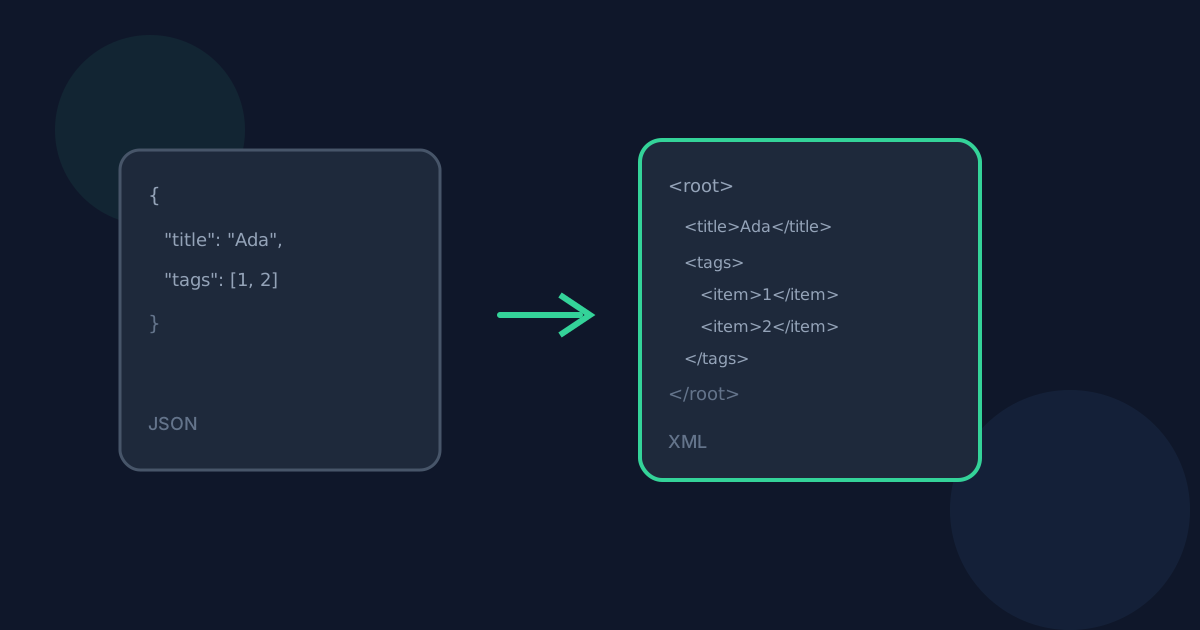
Every JSON value becomes exactly one XML element: objects become elements with one child per key, arrays become elements containing repeated <item> children, and primitive values become element text content. The generated XML is parsed and validated in the browser before the download starts, so a broken document is never produced.
How to Convert JSON to XML FAQ
- Do I need to install anything to convert JSON to XML?
- No. Conversion runs in the browser and downloads an .xml file directly. No desktop software or browser extension is required.
- Can I paste JSON instead of choosing a file?
- Yes. Switch to Paste JSON, paste your text, and select Use this JSON to load it the same way a file would be loaded.
- What if my JSON has a syntax error?
- The tool uses a strict JSON parser and rejects comments, trailing commas, unquoted keys, and other non-standard extensions with a clear error rather than guessing at the intended structure.
- Can I convert multiple JSON files at once?
- Not in this release. Convert one JSON input at a time.
- Where should I read next about JSON to XML?
- See /guides/json-to-xml-without-uploading for privacy details and /guides/json-arrays-and-nested-objects-to-xml for how arrays, nested objects, and invalid key names are represented. Open the tool at /tools/json-to-xml when you are ready.
Related guides
- JSON to XML Without UploadingSee how browser-based JSON to XML conversion keeps JSON data on your device, what still leaves the machine, and how local conversion differs from upload services.
- JSON Arrays and Nested Objects to XMLUnderstand how repeated array items, nested objects, invalid key names, and null values become predictable, standards-compliant XML elements.
- Browser-Based File PrivacyUnderstand local browser processing, when files stay on your device, practical privacy checks, and how Looty Tools discloses different processing models.


