Text & writing
How to Clean Up an Email List Before Importing
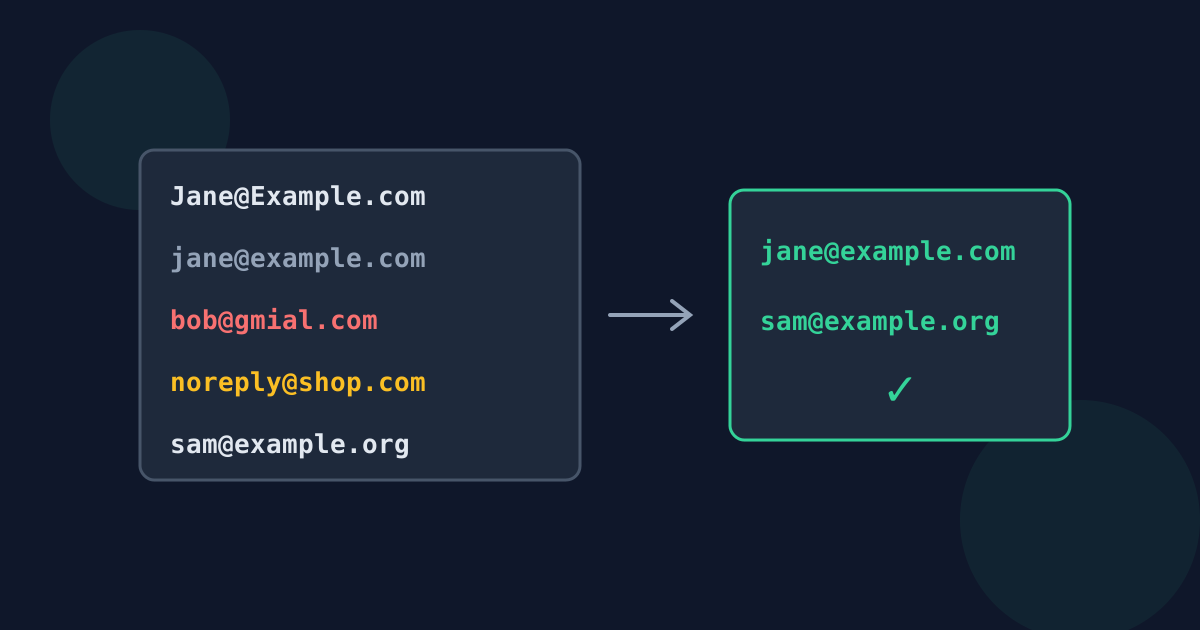
Before importing addresses into a mailing tool, CRM, or contact list, a few minutes of cleaning prevents bounces, duplicate contacts, and messages to people who never asked to hear from you. This checklist covers the practical steps in a sensible order.
Ready to try the tool this guide describes?
1. Get one address per line
Addresses often arrive inside signatures, “Name <address>” headers, or comma-separated lists. Extracting them first leaves one bare address per line, without the names, brackets, and punctuation that import tools reject.
2. Remove duplicates, ignoring case
JANE@EXAMPLE.COM and jane@example.com are the same mailbox in practice, but many import tools treat them as two contacts. Compare addresses ignoring case. Decide whether to also lowercase the whole list — it makes later matching easier and does not affect delivery on almost any server.
3. Look for obvious typos
Sorting the list alphabetically by domain, or simply scanning it sorted, makes these easy to spot.
- Misspelled popular domains: gmial.com, gmail.con, hotmial.com, yaho.com.
- Missing parts: an address ending in @example with no .com.
- Doubled or stray characters left over from copying, such as a trailing full stop.
4. Decide about role addresses
Addresses such as info@, sales@, support@, and noreply@ reach a team or no one at all. Some mailing services discourage or block them for marketing. Keep them for business contact lists; think twice for newsletters.
5. Confirm you have permission
Having an address is not the same as having permission to email it. Many countries regulate commercial email — for example through the GDPR in the EU and the CAN-SPAM Act in the US — and mailing services require consent for marketing lists. Import only addresses whose owners agreed to hear from you, and keep a record of how they did.
Clean Up an Email List FAQ
- Should I lowercase all email addresses?
- It is safe for delivery in practice and makes duplicate matching reliable, so most teams do.
- How do I find duplicate emails that differ only in capitals?
- Compare them ignoring case. The Looty Tools extractor already treats Jane@Example.com and jane@example.com as one address.
- Should I remove info@ and noreply@ addresses?
- For newsletters, often yes; noreply@ in particular cannot receive mail. For business contact lists, role addresses can be useful.
- Does cleaning a list guarantee no bounces?
- No. It removes malformed and duplicate entries, but only sending shows whether each mailbox still exists.
- Can I import addresses I found on websites?
- Finding an address does not give permission to send marketing to it. Check the rules that apply to you and your mailing service’s policy first.
Related guides
- Valid Email Address FormatWhat the email standards allow before and after the @, how that differs from what forms accept, and why extractors match a practical set of common formats.
- Why Emails Are Not FoundTroubleshoot missing addresses: disguised “at” and “dot” forms, addresses split across lines, mailto links behind link text, scans, and skipped formats.
Open the tool
Jump into Extract Email Addresses from Text when you are ready to process your files.
