Text & writing
How to Flip a Log or Timeline to Newest First
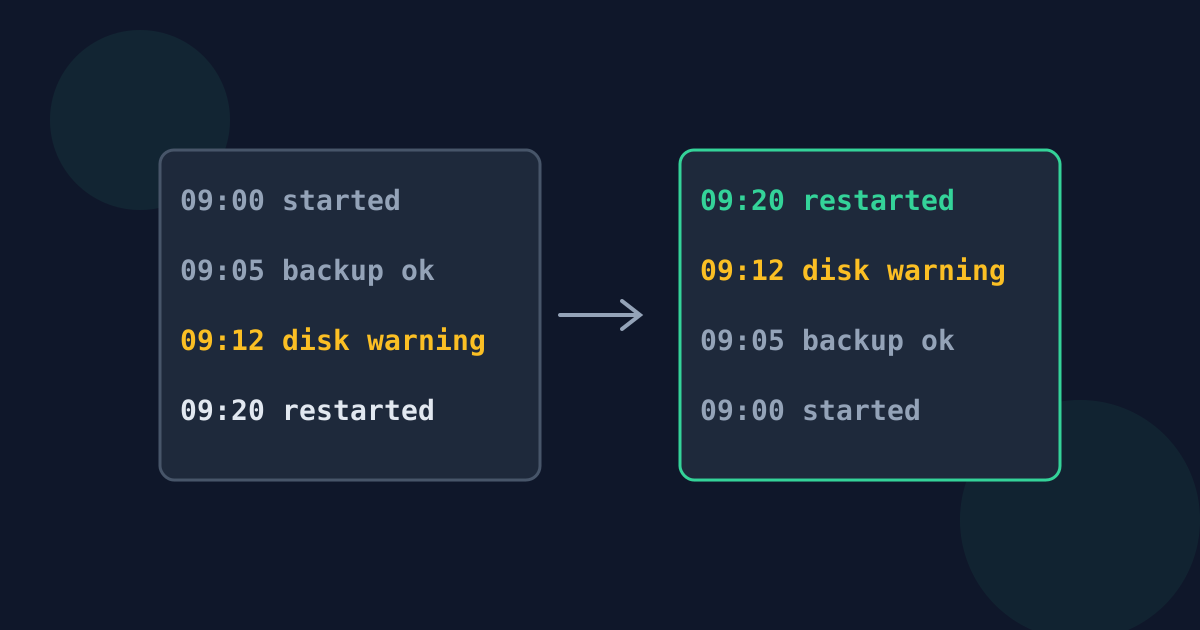
Log files, chat exports, changelogs, and many CSV exports are written oldest-first, because new entries are simply added to the bottom. That is efficient for the program writing them and awkward for the person reading them. This guide explains when flipping to newest-first helps and the two situations where a simple flip goes wrong.
Ready to try the tool this guide describes?
Why records are written oldest-first
Most programs append: each new event is written after the last one, so the file never has to be rewritten. Server logs, terminal history, meeting transcripts, and exported message threads all grow this way. The newest — and usually most relevant — line ends up at the very bottom, often thousands of lines down.
When newest-first is easier to read
- Checking what just happened: the latest error or status is at the top instead of the bottom.
- Publishing a changelog or release notes, where readers expect the most recent version first.
- Reading a chat or email export as a feed, the way most apps display it.
- Undoing a list of steps, where the last step taken must be reversed first.
Watch for entries that span several lines
A line-by-line flip treats every line as its own entry. If one entry takes up several lines — a stack trace under an error, a wrapped chat message, an address — its lines are flipped too, so the entry reads upside down. Either join each entry onto one line before reversing, or use the program’s own “newest first” view if it has one.
A quick check: if some lines do not start with a timestamp or a name, they probably belong to the line above them.
Headers, totals, and out-of-order lines
A header row, a title, or a total line moves to the opposite end when the lines are flipped, so move it back afterwards. Reversing also keeps any existing disorder: if two entries were logged out of sequence, they stay out of sequence. When every line starts with a date in year-month-day form (2026-09-27 14:05), sorting the lines Z to A also produces newest-first — and fixes the disorder, because that date format sorts correctly as text.
Flip a Log to Newest First FAQ
- Why are log files oldest-first?
- Programs add each new entry to the end of the file, which is fast and never rewrites earlier lines.
- Will reversing break multi-line entries?
- Yes. Each line is moved separately, so an entry spread over several lines ends up with its lines in reverse order. Join those lines first.
- What happens to a header row?
- It moves to the bottom. Cut it from the end and paste it back at the top after reversing.
- Is sorting Z to A the same as reversing a log?
- Only when every line starts with a sortable timestamp such as 2026-09-27 14:05. Then sorting fixes out-of-order lines too; reversing keeps them as they were.
- Can I flip the order back?
- Yes. Reversing the reversed list returns the original order.
Related guides
- Reverse Order vs. Sort DescendingReversing a list and sorting it Z to A can look alike. Learn how they differ, when they match, and which one keeps rankings and timelines intact.
- Reverse Lines in Excel and EditorsReverse rows in Excel with a helper column or SORTBY, in Google Sheets with SORT and ROW, and lines of text with tac, tail -r, Vim, or Emacs.
Open the tool
Jump into Reverse Line Order when you are ready to process your files.
