File & Data
Split Excel Sheets into Separate Files
Splitting is most useful when each worksheet should travel as its own workbook. This guide focuses on selection, ZIP packaging, and filename rules so you know exactly what downloads from Split Excel.
Ready to try the tool this guide describes?
One sheet versus many
If you select a single visible worksheet, Split Excel downloads one .xlsx file named from the workbook and sheet names.
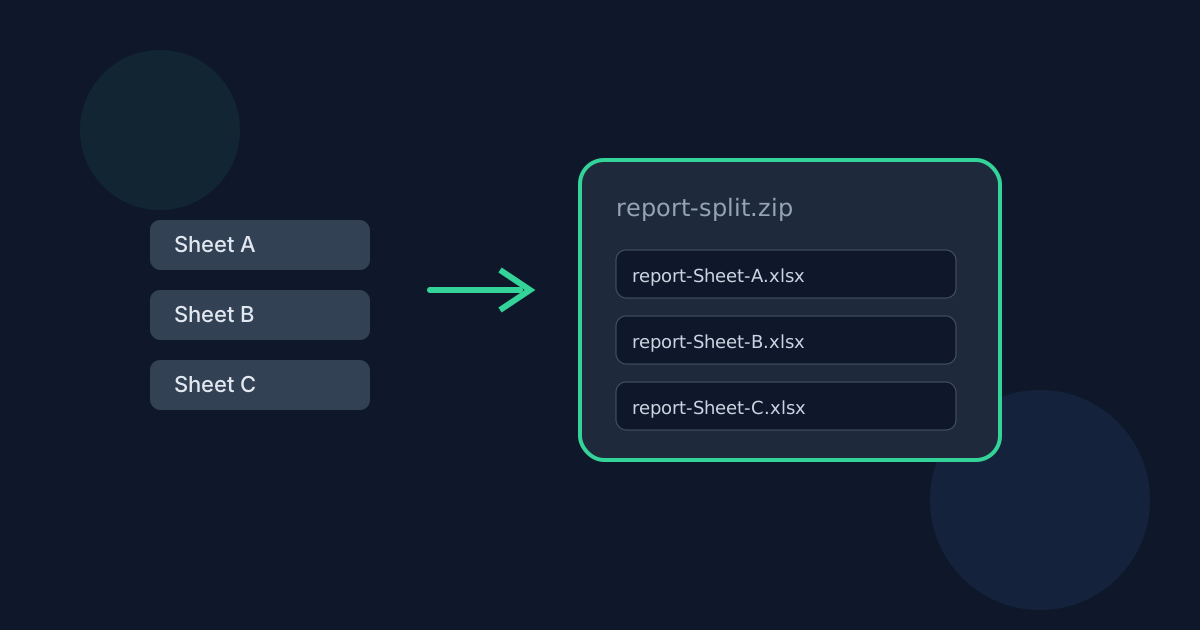
If you select two or more worksheets, every generated workbook is packed into one ZIP such as report-split.zip. There is no separate “download each file individually” mode in this release.
Filename sanitization
Workbook basenames and sheet names are sanitized for safe downloads. Path separators and unsafe characters are replaced, repeated separators collapse, and empty names fall back to safe defaults.
When sanitized sheet names collide, Split Excel adds stable numeric suffixes such as -2 and -3 so every ZIP entry stays unique.
- Example: report.xlsx + Summary → report-Summary.xlsx
- Example: report.xlsx + Transactions → report-Transactions.xlsx
- Example multi-sheet ZIP: report-split.zip
Selection controls that matter
Visible worksheets appear in original workbook order with basic row and column counts. Select all and Clear all help on large workbooks. At least one sheet must remain selected before you can split.
If generation of any selected sheet fails, or if estimated output exceeds 150 MB before ZIP compression, the whole operation stops and no partial ZIP is offered.
Cross-sheet formula caveat
Formulas that reference another worksheet keep their original text. After those sheets are removed from the new workbook, Excel may show errors or stale cached values until you fix the references.
Split Excel Sheets into Files FAQ
- Does each ZIP entry contain only one worksheet?
- Yes. Each generated workbook contains exactly one worksheet named like the original sheet.
- What if two sheet names sanitize to the same filename?
- The tool appends -2, -3, and so on so every entry remains unique.
- Can I download sheets one browser download at a time?
- Not in v1. Multiple selected sheets always arrive in a single ZIP.
- What happens if the estimated output is too large?
- The split is cancelled with an error asking you to select fewer sheets or use a smaller workbook. No ZIP is created.
- Where else should I read about splitting Excel sheets?
- See /guides/how-to-split-an-excel-workbook for the step-by-step workflow and /guides/split-excel-without-uploading for privacy details.
Related guides
- How to Split an Excel WorkbookSplit one Excel workbook into separate XLSX files by worksheet in your browser: select visible sheets, review filenames, and download one file or a ZIP.
- Split Excel Without UploadingSee how browser-based Excel splitting keeps workbook data on your device, what still leaves the machine, and how local splitting differs from upload services.
- Browser-Based File PrivacyUnderstand local browser processing, when files stay on your device, practical privacy checks, and how Looty Tools discloses different processing models.


