Text & writing
Natural Sort: Why 10 Comes Before 2
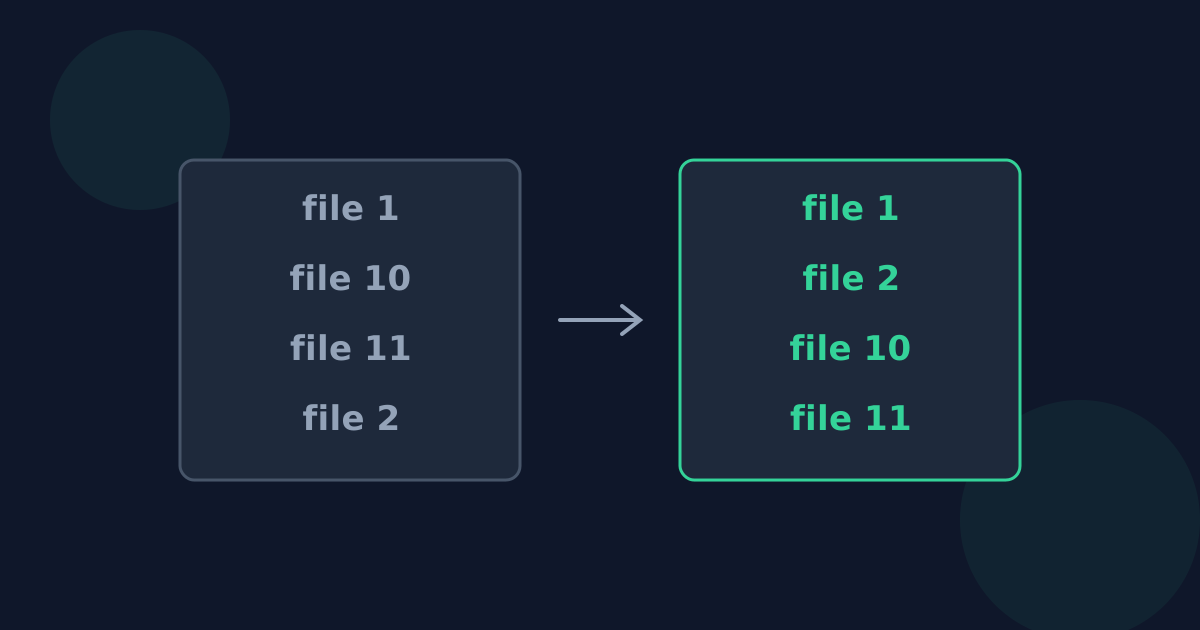
Sort a list of chapters or file names alphabetically and you often get “Chapter 1, Chapter 10, Chapter 11, Chapter 2”. The sort is not broken — it compares digits as text. Natural sorting compares the numbers by their value instead. This guide explains the difference and how to get the order you expect.
Ready to try the tool this guide describes?
Why 10 comes before 2
An alphabetical sort compares text one character at a time. Comparing “10” with “2”, it looks at the first characters, “1” and “2”; since “1” sorts before “2”, “10” comes first — the rest of the number is never considered.
Natural sort order
A natural (or numeric-aware) sort treats each run of digits as a number and compares its value, giving “Chapter 1, Chapter 2, Chapter 10, Chapter 11”. Windows File Explorer, for example, sorts file names with numbers this way by default, which is why files there often look correctly ordered while the same names sort differently elsewhere.
The zero-padding workaround
If a tool only sorts alphabetically, pad numbers with leading zeros so they have the same number of digits: 01, 02, 10. Padded numbers sort correctly even digit by digit, which is why file names like IMG_0001 are common.
When plain alphabetical order is right
- Codes where digits are identifiers rather than quantities, such as some part numbers.
- Data that will be processed by another program expecting a plain text sort.
- Lists where numbers appear only occasionally and consistency with other tools matters more.
Natural Sort Order FAQ
- Why does 10 come before 2 when sorting?
- The text is compared character by character, and “1” sorts before “2”, so “10” comes first.
- What is natural sort order?
- Sorting that compares numbers inside text by their value, so 2 comes before 10.
- How do I sort numbered items correctly without a natural sort?
- Pad the numbers with leading zeros so they all have the same number of digits.
- Does Windows sort file names naturally?
- Windows File Explorer sorts numbers in file names by their value by default.
- Does natural sorting change my text?
- No. It only changes the order of the lines; the numbers stay exactly as written.
Related guides
- How Alphabetical Sorting WorksWhy computers can sort “Zebra” before “apple”, how language-aware collation handles case and accents, and how alphabetical order differs between languages.
- Alphabetizing Names and TitlesHow to sort people by surname, file titles without “The”, and choose between word-by-word and letter-by-letter order before sorting a list.
Open the tool
Jump into Sort Lines Alphabetically when you are ready to process your files.
